Receipt
A receipt records money coming in from a customer and allocates it against the invoices being settled.
Overview
Section titled “Overview”Allocation is the part that matters. An unallocated receipt reduces the customer’s total balance but leaves every invoice showing as unpaid, so the Outstanding Report keeps chasing invoices that have in fact been settled. Always allocate, even if the customer paid a round sum against several invoices.
Prerequisites
Section titled “Prerequisites”Before you begin
- The party exists and is active
- The items you need exist with a unit of measure
- The financial period you are posting into is open
Opening the screen
Section titled “Opening the screen”- Sales
- Transactions
- Receipt

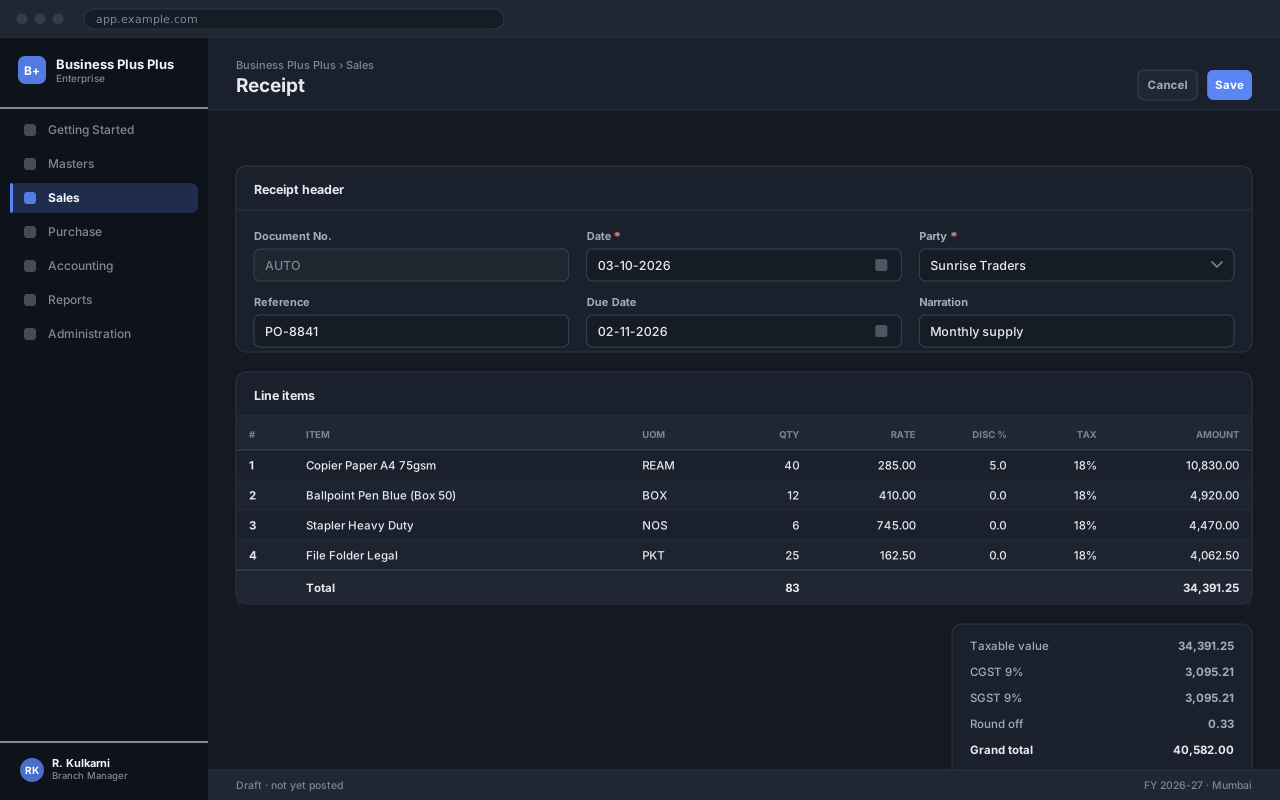
Procedure
Section titled “Procedure”Open the Receipt screen
Use the navigation path above and click New.
Select the customer and amount
Choose the customer and enter the amount received. The open invoices appear in the allocation grid, oldest first.
Record how the money arrived
Set the mode — cash, cheque, bank transfer or card — and the matching reference. For a cheque, enter the number, date and bank; for a transfer, the UTR.
Allocate against invoices
Tick the invoices being settled, or click Auto Allocate to apply the amount oldest-first. The unallocated balance is shown at the foot of the grid and must be zero or an explicit on-account amount.
Save and issue the receipt
Click Save, then Print to give the customer their receipt.
Expected result
The receipt gets a number such as RCT/2026/00912, the allocated invoices drop off the Outstanding Report, and the customer balance reduces by the receipt amount.
Field reference
Section titled “Field reference”| Field | Type | Required | Default | Description | Notes |
|---|---|---|---|---|---|
| Receipt No. | Auto | Read-only | — | Allocated from the Receipt series on save. | |
| Receipt Date | Date | Yes | Today | Date the money was received, not the date you are entering it. | |
| Customer | Dropdown | Yes | — | Party the money came from. | |
| Amount | Amount | Yes | — | Total received. | Must equal the allocated total plus any on-account amount. |
| Mode | Dropdown | Yes | Bank Transfer | Cash, Cheque, Bank Transfer, Card or Adjustment. | |
| Instrument No. | Text | No | — | Cheque number or transfer reference. | Mandatory for Cheque and Bank Transfer. |
| Instrument Date | Date | No | — | Cheque date. Used for the clearing report. | |
| Deposit Account | Dropdown | Yes | — | Cash or bank account the money goes into. | |
| Allocation | Grid | No | — | Invoices settled by this receipt, with the amount applied to each. | |
| On Account | Amount | Read-only | — | Amount received but not allocated to any invoice. |
Receipt fields
Important notes
Section titled “Important notes”Common problems
Section titled “Common problems”The Save button is disabled
A required field is empty or invalid. Fields in error are outlined in red with the reason underneath — scroll up, the first error is usually in the header.
You do not have permission to perform this action
Your role is missing the relevant permission for this screen. Ask an administrator to check it against Roles & Permissions.
The period is closed
The date falls in a financial period that has been closed. Either use a date in an open period, or ask an administrator to reopen it — which affects everyone, so it is rarely the right answer.
The rate comes in as zero
No price is configured for that combination of party and item on this date. Check the applicable price list, and whether its validity window covers the document date.
Frequently asked questions
Section titled “Frequently asked questions”Can I edit a receipt after saving?
While it is still in Draft, yes — every field is editable. After confirmation only non-financial fields such as Narration can be changed; anything else requires cancelling and re-raising the document.
Why is the document number not sequential?
Numbers are allocated when a document is saved, so a cancelled document leaves its number used. That is intentional: a gap-free series is what makes the audit trail defensible.
Can I change the date after confirming?
No. The date determines which period the entry posts into, so changing it would move an already-posted entry between periods. Cancel and re-raise with the correct date.